A List of PowerShell Books

1593279183PowerShell for Sysadmins: Workflow Automation Made Easy by No Starch Press

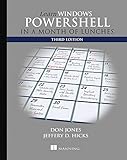
1617294160Learn Windows PowerShell in a Month of Lunches by Manning Publications

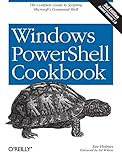
1449320686Windows PowerShell Cookbook: The Complete Guide to Scripting Microsoft’s Command Shell by O’Reilly Media

1789536669Mastering Windows PowerShell Scripting: Automate and manage your environment using PowerShell Core 6.0, 3rd Edition by Packt Publishing

B085RQNL9XWindows PowerShell and Scripting for Beginners: Complete Beginners Guide to learn Windows PowerShell and its Scripting by Independently published

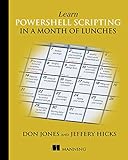
1617295094Learn PowerShell Scripting in a Month of Lunches by Manning Publications

0735675112Windows PowerShell Step by Step by Microsoft Press

1789808537Windows Server 2019 Automation with PowerShell Cookbook: Powerful ways to automate and manage Windows administrative tasks,

How Do You Test the “mount -a” Command to Verify Sufficient Permissions on a Linux VM?

Problem scenario
You want to test “mount -a” to verify your user has sufficient permissions. You cannot add a physical device to the Linux server. How do you confirm “mount” will work?

Solution
Create a directory to be a mount point:
sudo mkdir /aaa
Find a block device to mount. One way would be to run this: sudo cat /proc/partitions
Once found,

How Do You Install Erlang on a Debian/Ubuntu Server?

Problem scenario
You want to install Erlang on a Debian or Ubuntu Server (e.g., Linux Mint or Kali Linux). What should you do?

Solution
Run this script with sudo (e.g., sudo bash /tmp/erlang.sh):

# Written by www.continualintegration.com
#/bin/bash

echo “This script can take 20 minutes to run”
apt -y update
apt -y install autoconf
apt -y install libncurses5-dev
apt -y install libncursesw5-dev
apt -y install gcc
apt -y install python3
apt -y install make
cd /bin/
git clone https://github.com/erlang/otp.git
cd otp
./otp_build autoconf
./configure
echo “This next portion may take 15 minutes”
date /tmp/datetime.txt
make
make install
ln -s /usr/local/lib/erlang/bin/erl /usr/bin/erl
ln -s /usr/local/bin/erlc /usr/bin/erlc
ln -s /etc/alternatives/python3 /usr/bin/python
echo “Script run completed.”
echo ” ”
echo “Many errors above (if there are any) may be ignorable”
echo “try the ‘erl’ command with no quotes to see if Erlang was installed”
echo ‘If you get to a carrot prompt, …

How Do You Create an EC-2 Instance Running RHEL 8.x in the AWS Web UI?

Problem scenario
You want to use the AWS Management Console to create a server. What do you do?

Solution
Prerequisite

This assumes you have already configured a .ppk file, and you know its password. If you need assistance, see this posting.

Procedures

  1. Log into the AWS management console (aws.amazon.com).
  2. Go to the EC2 Dashboard.

How Do You Troubleshoot “yum-config-manager command not found”?

Problem scenario
You run a “yum-config-manager” on a Linux server, but you get an error about the command not being found. What should you do?

Possible solution
Run this: sudo yum -y install yum-utils

This should install it. If it doesn’t, you may not have a “yum” distribution of Linux. You may be using SUSE, Debian or Ubuntu Linux. Run this command to find out what family of Linux you need: cat /etc/*-release

How Do You Get conjure-up To Provide an Option for AWS, Azure or GCP when Deploying Kubernetes?

Problem scenario
You run “conjure-up kubernetes”, but on the page “Where would you like to deploy?” you do not see an option for AWS, Azure, or GCP (Google Cloud Platform).

You see options for maas, openstack, and vsphere. But the public cloud options are missing. What should you do?

Solution
With newer versions of conjure-up, you need to first configure a public cloud.

How Do You Troubleshoot the Python3 Error “No such file or directory: ‘/usr/local/lib/python3.6/site-packages/” on RHEL 8.x?

One or more of the following problems are happening to you:

Problem scenario #1
You run python3 setup.py install on RHEL 8.x, but you get an error message like this:

running install
error: can’t create or remove files in install directory

The following error occurred while trying to add or remove files in the
installation directory:

[Errno 2] No such file or directory: ‘/usr/local/lib/python3.6/site-packages/test-easy-install-52191.write-test’

The installation directory you specified (via –install-dir, …